
In this guide
In short
Organize recurring payments in one register that separates the payment date, the amount, and any earlier decision deadline. Review that register alongside your calendar so a predictable payment does not arrive as a surprise.
- Verify each commitment against its current provider information.
- Record amount, frequency, payment date, and payment method.
- Identify renewal and cancellation deadlines separately.
By the end of this tutorial, you will have a payment calendar and a short list of actions for upcoming renewals. The amounts below are fictional examples for organizing records, not recommended spending levels.
Gather commitments from their original sources
Use provider accounts, bills, contracts, renewal notices, and recent statements to list what you currently pay. A bank statement can reveal a charge, but the provider's current terms are needed to confirm when it repeats and how changes work.
Include regular bills, subscriptions, annual memberships, insurance renewals, and installments you already owe. Keep uncertain or variable amounts clearly marked.
Record only the account reference needed to recognize a commitment. Your planning note does not need card numbers, passwords, or complete banking credentials.
For another simple way to lay out amounts and due dates, see the Consumer Financial Protection Bureau's bill calendar.
Separate three kinds of date
The payment date tells you when money is expected to leave. A renewal date tells you when another service period begins. A cancellation or decision deadline may come earlier than either.
For example, a service could renew on 20 November but require a cancellation request by 10 November under its current terms. The useful planning task is to decide before 10 November, not merely notice the charge on 20 November.
Use the terms that apply to your service and country. Do not assume that deleting an app, removing a payment card, or canceling a bank instruction ends the underlying agreement.
Create a completed payment register
This fictional November example uses euros for consistency. Replace the dates, amounts, and terms with your own verified information.
| Commitment | Expected payment | Amount | Pattern | Earlier action |
|---|---|---|---|---|
| Internet | 5 November | €35 | Monthly | Check the current bill |
| Music subscription | 12 November | €11 | Monthly | Review usage before deciding whether to keep it |
| Annual membership | 20 November | €120 | Annual | Decision by 10 November under the example provider's terms |
| Utility bill | 25 November | €80 estimate | Monthly, variable | Replace the estimate when the bill arrives |
| Annual insurance renewal | 28 November | €240 quoted | Annual | Review the offer and relevant deadlines before accepting |
The example's expected November outflow is €486: €35 + €11 + €120 + €80 + €240. That total includes an estimate and a quote, so it is not a confirmed bank balance forecast.
Mark whether each payment is automatic or requires action. An automatic payment still deserves review for amount and timing.
Distinguish monthly planning from this month's cash needs
An annual €120 commitment is equivalent to €10 a month over a full twelve-month cycle. An annual €240 commitment is equivalent to €20 a month. Together, their average monthly provision is €30.
That calculation helps plan future cycles. It does not mean €30 will cover €360 due this November if nothing has been reserved previously.
For the current cycle, record the amount due, what you have already reserved, and the remaining gap. Keep that gap separate from the recurring payment itself to avoid counting the same cost twice in your spending records.
If the schedule does not fit your available money, review optional commitments and contact the relevant provider about available arrangements before a deadline. The register makes the issue visible; it does not determine which contractual obligations can be changed.
Schedule the decision and verify the outcome
Set a review task early enough to read the current terms and act through the provider's required process. Record the decision and any confirmation.
After a payment, compare the actual charge with the expected amount. Replace estimates with actual figures. After a cancellation, check the confirmation and later statements rather than assuming that the request has completed.
When a price changes, update both the payment register and any recurring planning entry. A reminder with last year's amount can be more misleading than one with an explicitly unknown amount.
Use the register in Planique
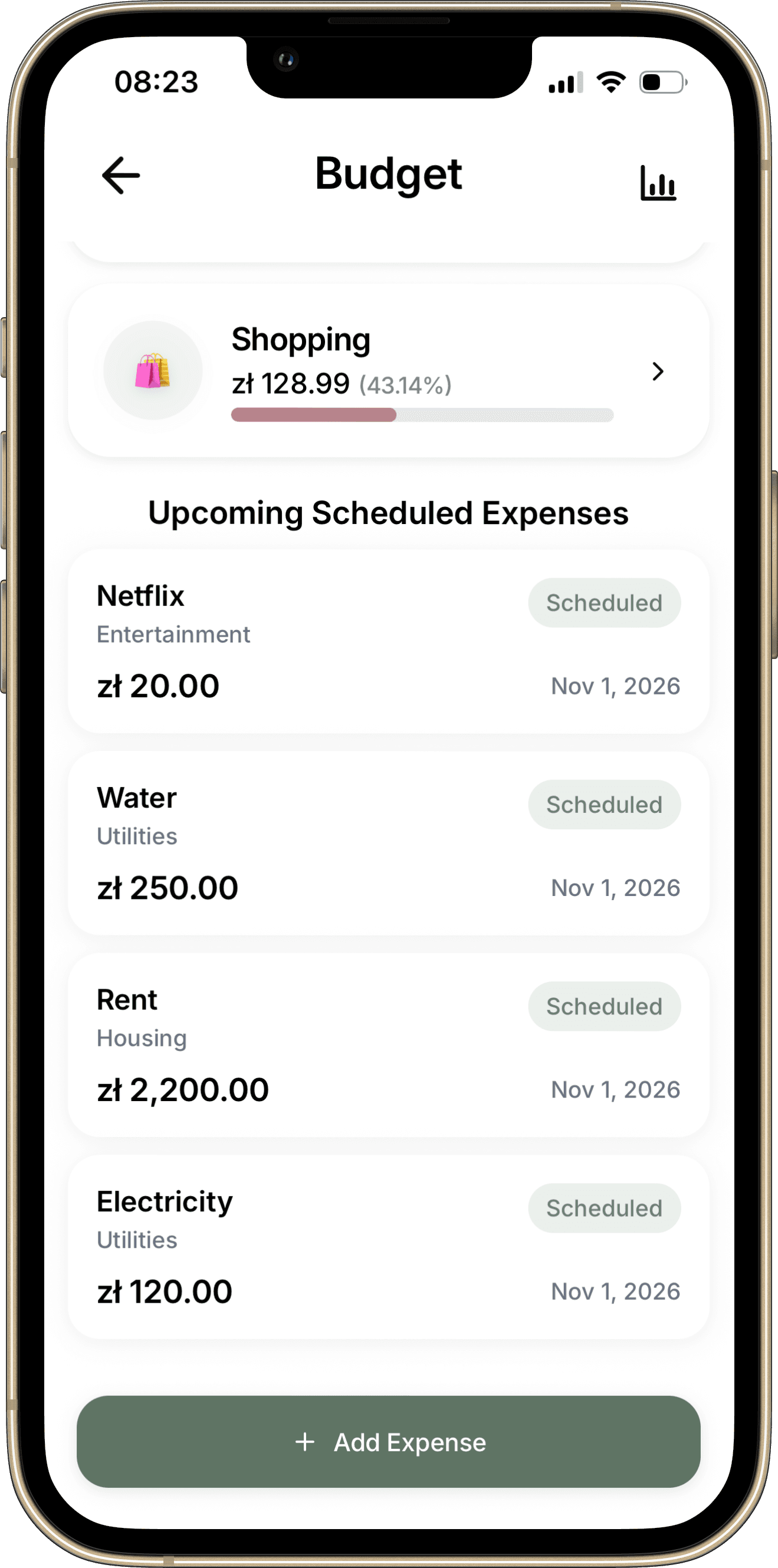
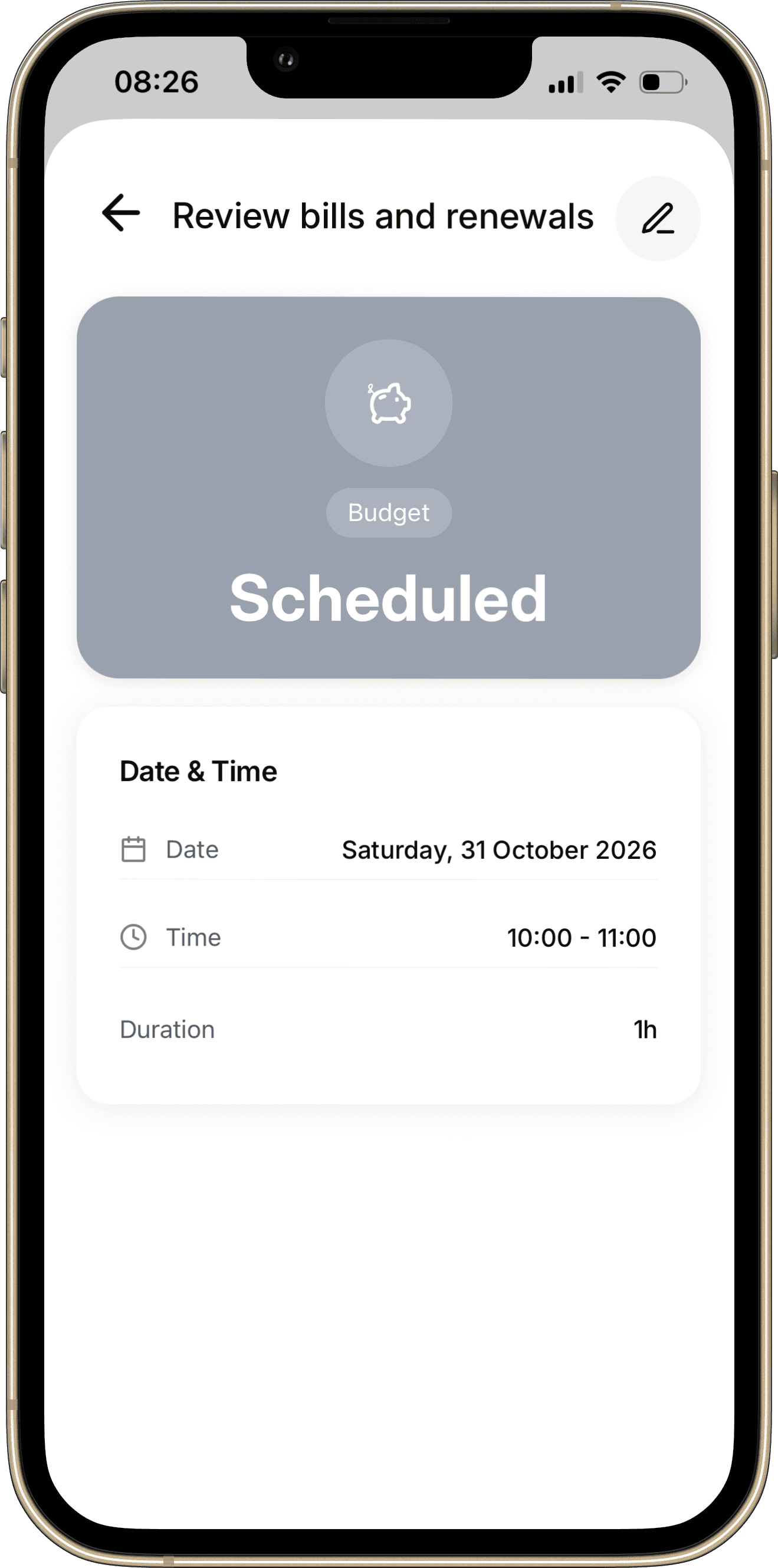
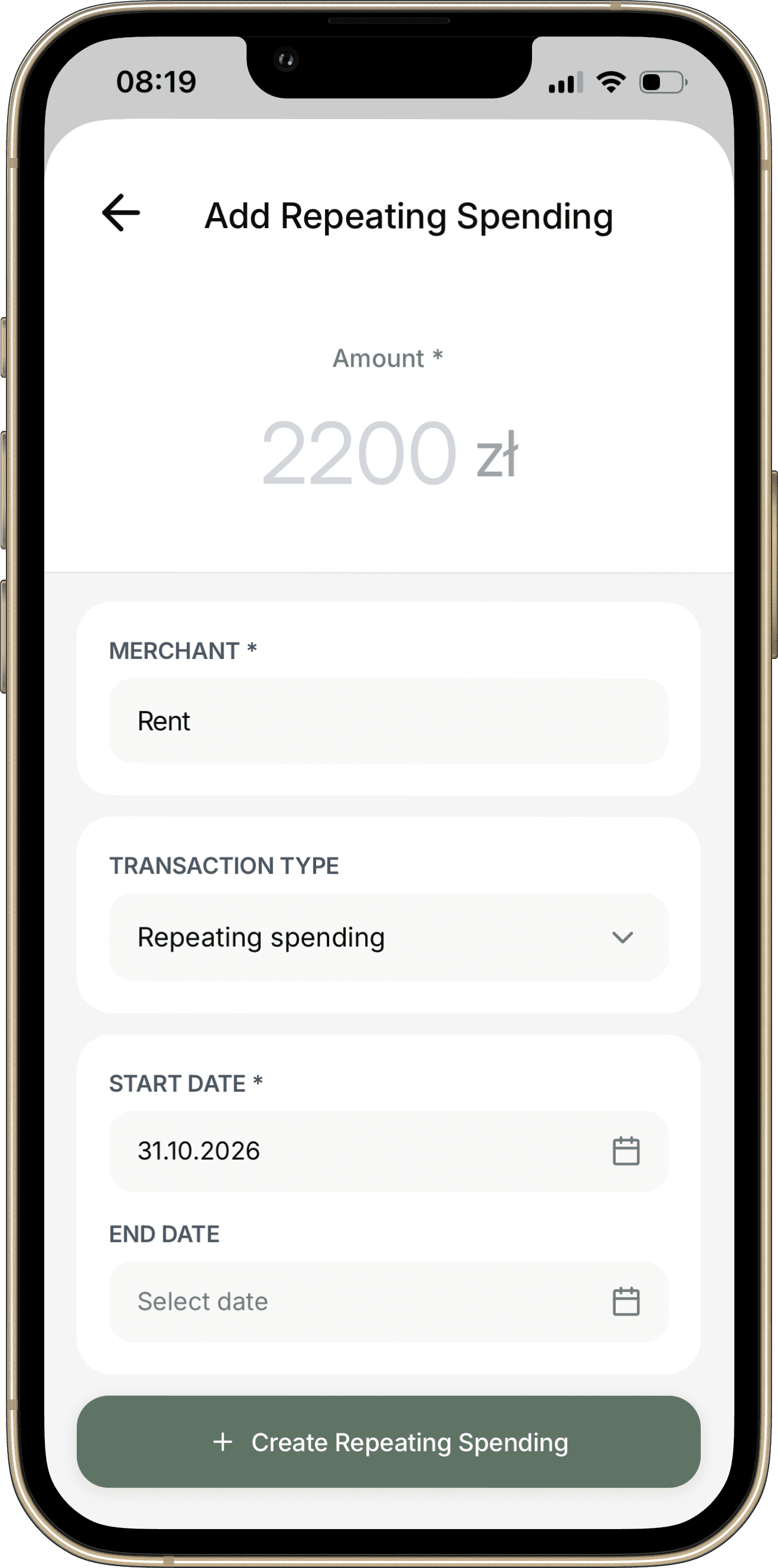
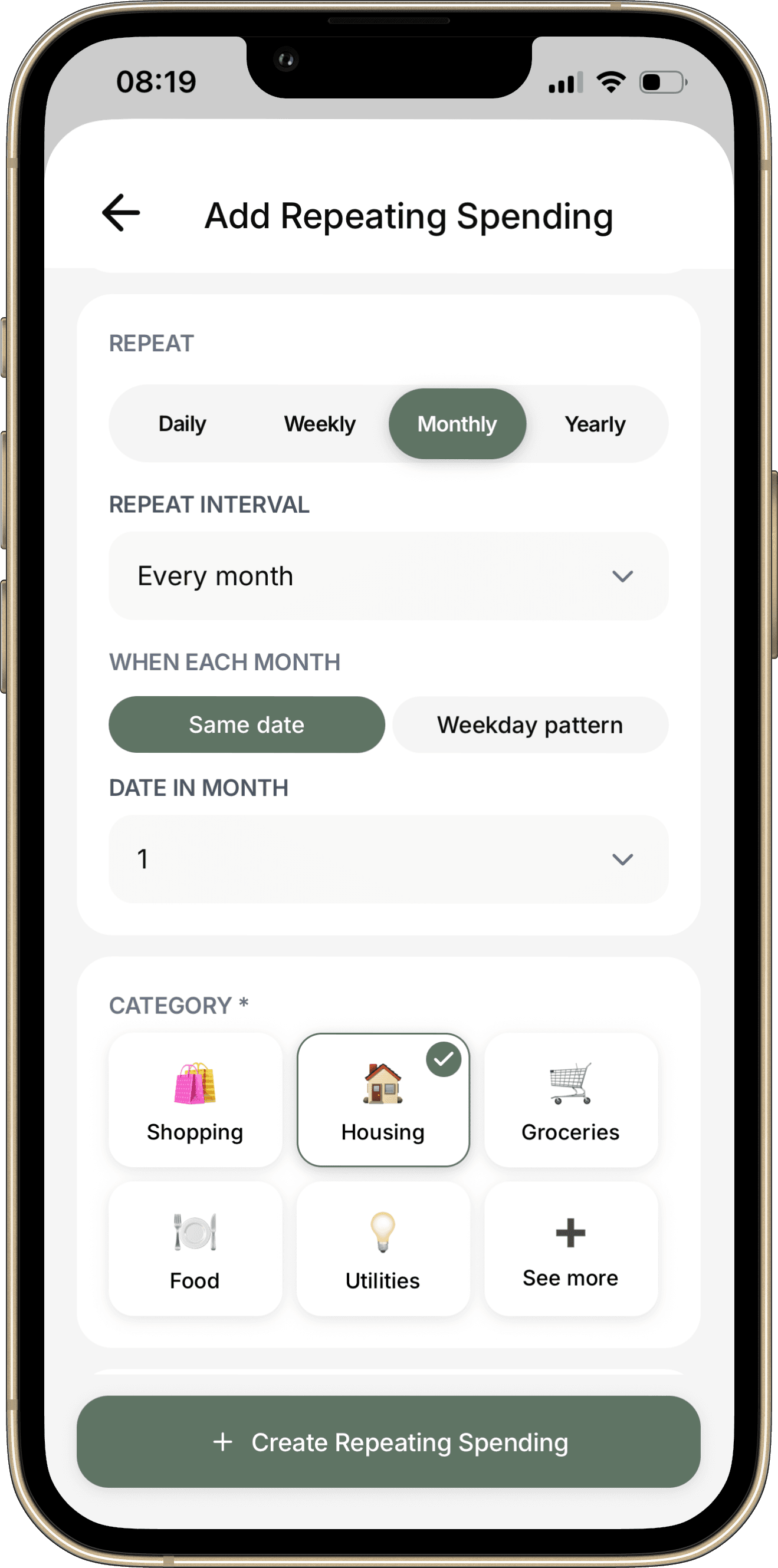
Use Budget for the relevant financial records and Calendar for decision or follow-up tasks. Keep a renewal review distinct from the payment it concerns: they have different dates and different completion conditions.
For example, "Review membership renewal terms" can be a planning task, while the actual membership charge belongs in your financial records. Check whether the payment already appears in your calendar before adding a duplicate reminder.
Your recurring-payment checklist
- Verify each commitment against its current provider information.
- Record amount, frequency, payment date, and payment method.
- Identify renewal and cancellation deadlines separately.
- Label estimates and quotes clearly.
- Check annual costs alongside this month's cash needs.
- Schedule decisions early enough to act.
- Keep confirmations and reconcile actual charges.
- Remove obsolete reminders after the change is confirmed.
Common questions
Should I keep subscriptions I rarely use?
Review what you actually use, the cost, alternatives, and the applicable cancellation terms. The purpose of the register is to make that decision deliberate.
What if the bill changes every month?
Use a labeled estimate until the bill is available. Update the amount before treating the month's plan as settled.
Is a reminder proof that a bill was paid?
No. Record a payment as completed only after checking the actual payment or provider confirmation.
Continue with How to Do a Weekly Review to give upcoming payment decisions a regular place in your routine.
Make it your own
Bills and renewals register worksheet
Use the blank worksheet to plan your own example. Print it or save it as a PDF from your browser. It is a planning document and does not import records into the app.
Open printable worksheetKeep the details with the plan.
Explore how Budget fits into Planique Planner's connected approach to everyday planning. Planique is in early access.