
In this guide
In short
A weekly review is a short appointment with your existing plan. Check what happened, identify what is approaching, and decide what deserves space next week. The result should be a few clear decisions and an updated calendar.
- Record completed work accurately.
- Decide what happens to each unfinished priority.
- Check fixed commitments for the next seven days.
This tutorial uses a 20-minute review as a starting point. It is a practical timebox, not a rule: a complex week may need longer, while a quiet week may need less.
Gather the information you need
Choose a regular point before your next week begins. Sunday evening works for some people; the end of a shift cycle or a quieter weekday may work better for you.
Open your calendar, current task list, meal plan, upcoming bills, and household notes. Keep any recent appointment instructions or important messages nearby. You are gathering planning inputs, not trying to clear every inbox.
Use this first-pass agenda:
| Review stage | Suggested time | Decision to make |
|---|---|---|
| Close the previous week | 4 minutes | What is complete, unfinished, or no longer needed? |
| Check the next week | 5 minutes | Which commitments and deadlines constrain it? |
| Check supporting work | 5 minutes | What preparation, shopping, or spending is involved? |
| Choose priorities and adjust | 4 minutes | What fits, and what must move? |
| Make the next start easy | 2 minutes | What is the first action tomorrow? |
Give unfinished work a decision
Review incomplete items one by one. Choose whether to schedule, simplify, delegate by agreement, remove, or keep them on a clearly separate later list.
Avoid moving every unfinished task to Monday. A missed task is information: perhaps the time estimate was wrong, the next step was unclear, or the task no longer matters.
"Sort out the car" may remain untouched because it includes finding a provider, checking availability, and arranging transport. Replace it with the next concrete action, such as "Call the garage with the service details."
Do not spend the review doing all the tasks you discover. Capture the action and return to the review.
Check commitments and deadlines
Look at the next seven days and scan farther ahead for anything that requires advance preparation. A renewal in three weeks might need a decision now. An appointment next Tuesday may need documents gathered on Monday.
Include work, personal commitments, travel, health appointments, and household access arrangements. Check that each has enough space around it to be realistic.
Leave dates and durations uncertain when they are genuinely unknown, then add a task to confirm them. False precision makes a calendar look settled while the underlying plan remains unclear.
Check the work behind the calendar
For each important commitment, ask what must happen first and what it will cost in time, energy, or money.
For meals, check ingredients and the shopping trip. For a household job, check parts and access. For a payment, check the amount and due date against the provider's information. For a health appointment, check the instructions you were given.
Here is a fictional completed review:
| Finding | Decision | Updated action |
|---|---|---|
| Tuesday includes a late meeting | Avoid a complicated dinner | Move the longer recipe to Saturday; choose a simple Tuesday meal |
| Car-service booking is still incomplete | Make the next step smaller | Call the garage Monday at lunch |
| An annual renewal is approaching | Review before the provider's decision deadline | Read the renewal notice on Wednesday |
| Groceries are scheduled after Monday dinner | Fix the dependency | Move the shop to Sunday afternoon |
| Three household jobs were carried forward | Reduce the workload | Keep one useful job this week and review the others later |
The review has succeeded when these decisions are reflected in the plan. A long review note without updated dates is less useful.
Choose a few outcomes for the coming week
Pick a small number of outcomes that matter alongside ordinary responsibilities. For example: confirm the car service, cook at home three evenings, and complete one project milestone.
Check the busiest day. If an important action has no realistic place, reduce its scope or move it deliberately. Avoid treating every blank hour as equally usable.
Finish by writing tomorrow's first action. It should be specific enough to start without another planning session.
Use the review in Planique
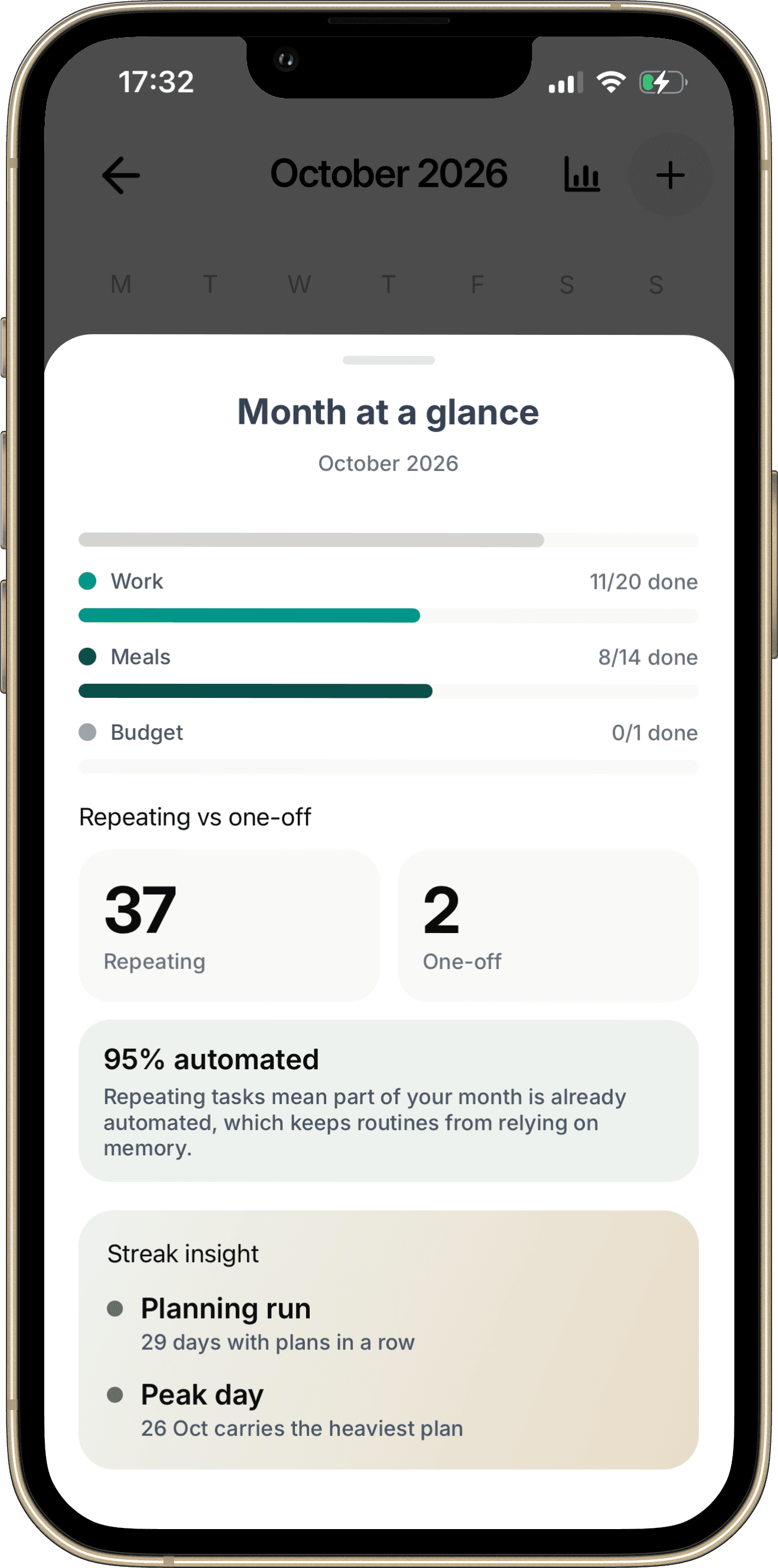
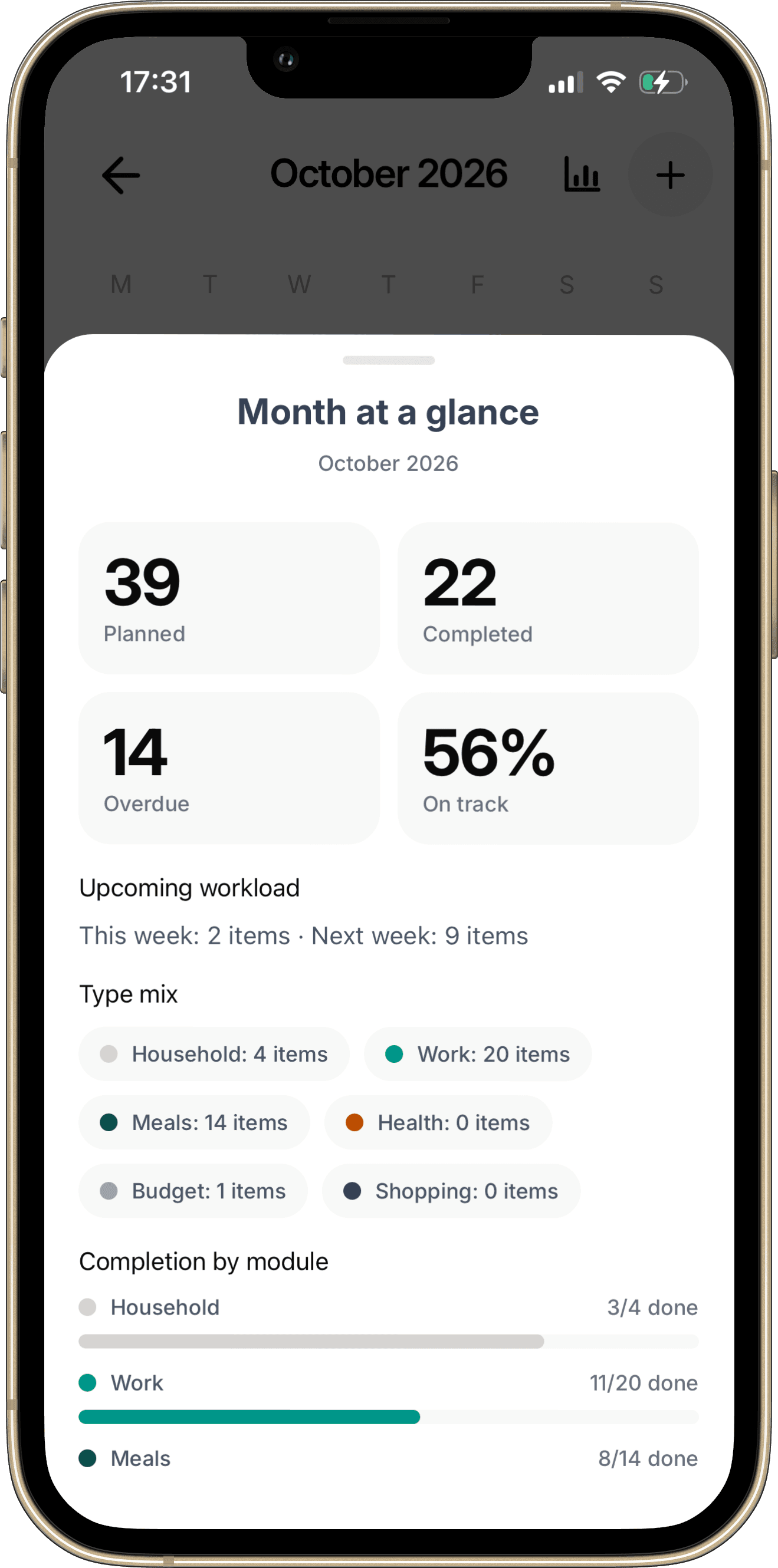
Open Calendar’s monthly view and select the chart button to inspect Month at a glance. Review Planned, Completed, Overdue, and Upcoming workload for this week and next week. These are item counts, not a measure of free hours.
Start with Calendar to inspect scheduled responsibilities, then open the relevant module when you need details. Review meals in Meal planner, household work in Household, and financial commitments in Budget.
Use the review to update the underlying item where appropriate. Keep specialized information with the meal, household responsibility, or financial record that needs it. Recheck the affected day afterward.
Copy this weekly review checklist
- Record completed work accurately.
- Decide what happens to each unfinished priority.
- Check fixed commitments for the next seven days.
- Scan later deadlines that require preparation now.
- Check meals, shopping, household tasks, appointments, and payments.
- Identify missing prerequisites and uncertain information.
- Choose a few realistic outcomes.
- Reduce the busiest day and preserve room for change.
- Write tomorrow's first action.
- Choose the next review time.
Common questions
What if I only have five minutes?
Check tomorrow's commitments, the nearest consequential deadline, and the next meal or essential errand. Schedule a fuller review when you can.
Should I measure every habit during the review?
Only review measures that influence a decision. If tracking something adds work without helping you adjust, simplify it.
What if I skipped several reviews?
Start with the current week. Check overdue commitments for consequences, then rebuild from what matters now instead of reconstructing every missed review.
Continue with How to Replan Your Week When You Fall Behind when the plan changes between reviews.
Make it your own
Weekly review worksheet
Use the blank worksheet to plan your own example. Print it or save it as a PDF from your browser. It is a planning document and does not import records into the app.
Open printable worksheetKeep the details with the plan.
Explore how Calendar fits into Planique Planner's connected approach to everyday planning. Planique is in early access.